

Get 100% Compliant With Federal & State Regulations So You Can FOCUS On Building YOUR BUSINESS Knowing You Have Compliance HANDLED!
Join the companies who are actively using DOT Docs to easily handle their compliance so they can focus on what’s really important, building their business.
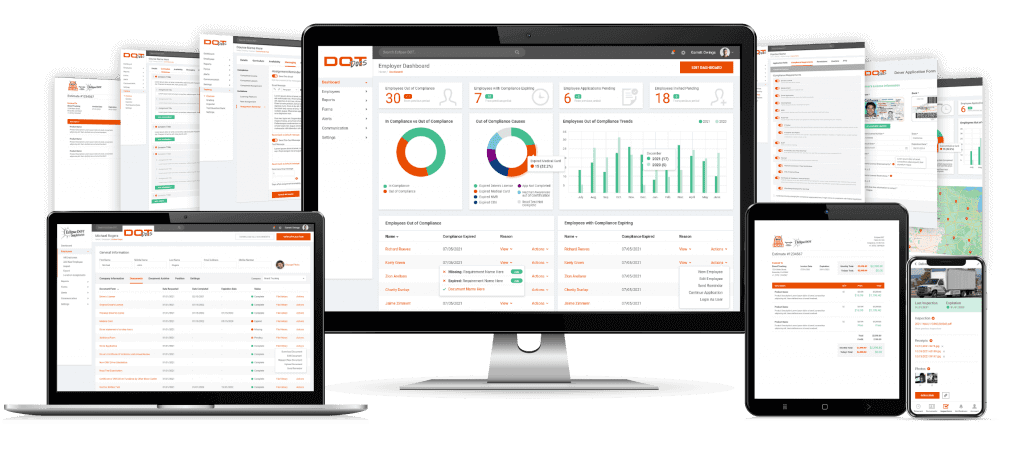
Our Platform makes it simple to manage your driver's files. In fact, the driver can upload new documents right from their phone, taking the pressure off of your office.
Drivers, managers, and the corporate office can update load and complete documents to ensure that their files are up-to-date.
If we can take a company with over 400 drivers who were less than 10% compliant and turn them around to being over 97% compliant in less than 35 days, just think about what this platform can do for your team!
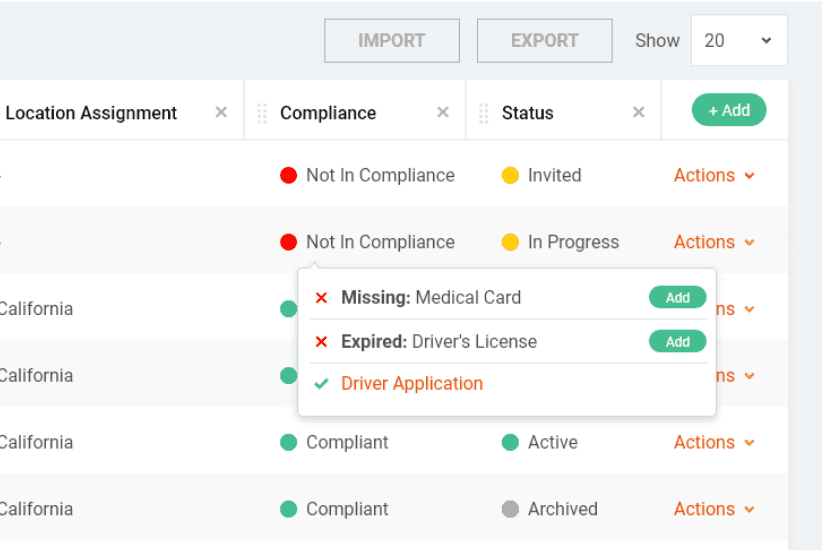
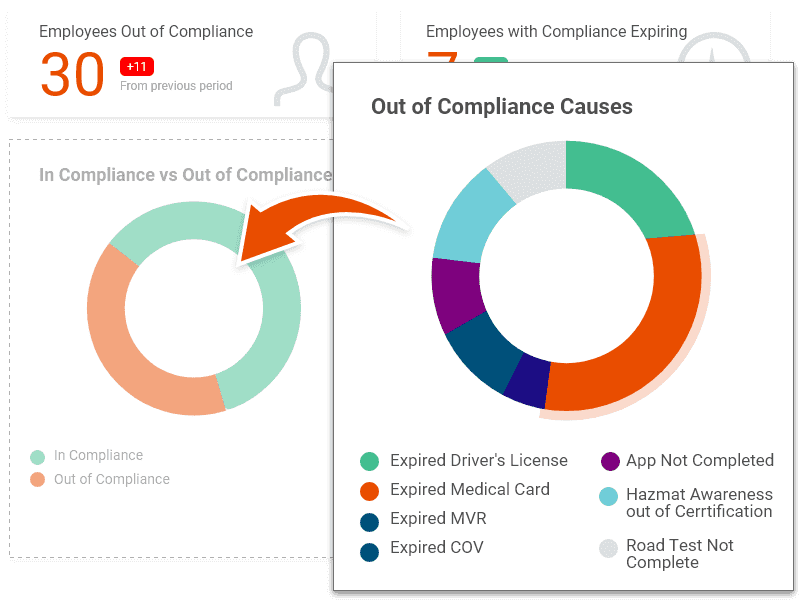
Track DOT compliance effortlessly with our platform. In seconds, spot drivers out of compliance and understand the complexity. Stay on top of what’s needed for compliance. Simplify compliance tracking today!
Managing driver file documents can’t get any easier than this. Our program recognizes the text on the text from the document and auto-fills the pertinent information.
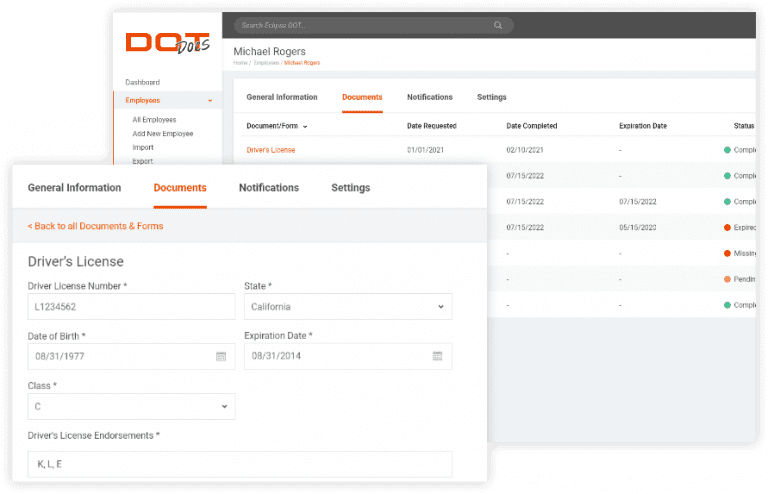
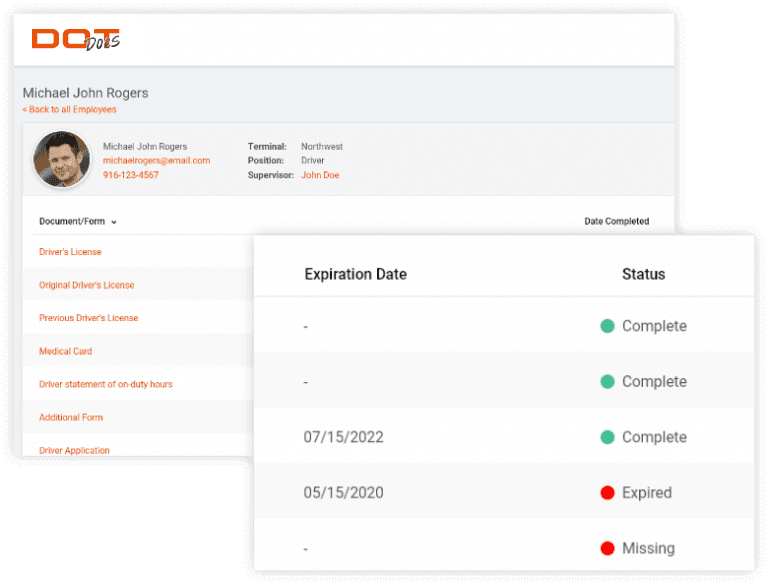
Audit Audis effortlessly with DOT Docs. Grant auditors access from your account, ensuring they see only pertinent info, streamlining and securing the process.
Simplify compliance tracking with DOT Docs. Grant auditors access to relevant information for streamlined, secure processes, removing complexity.
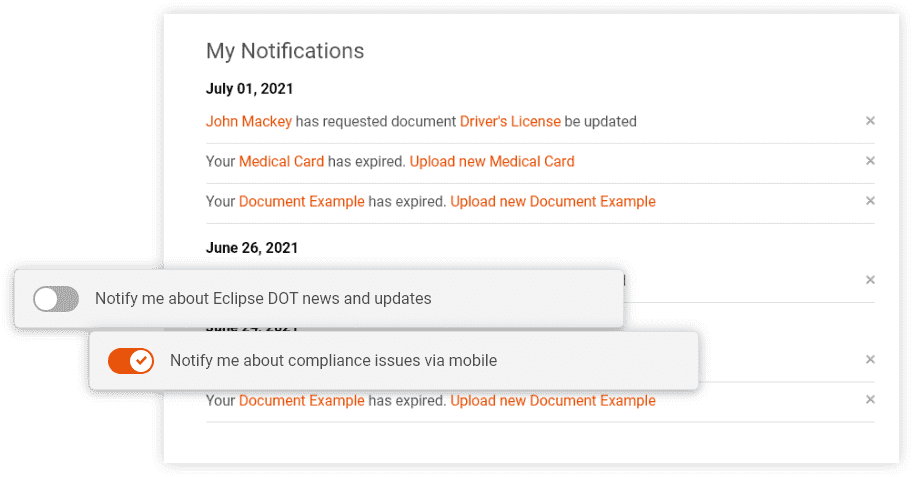
Our platform stands out because it not only notifies the office when a driver is about to go out of compliance, it notifies it also alerts their manager. The driver, the manager, or the office can then upload the documents from their phone or computer. Just another way we take the complexity out of compliance.
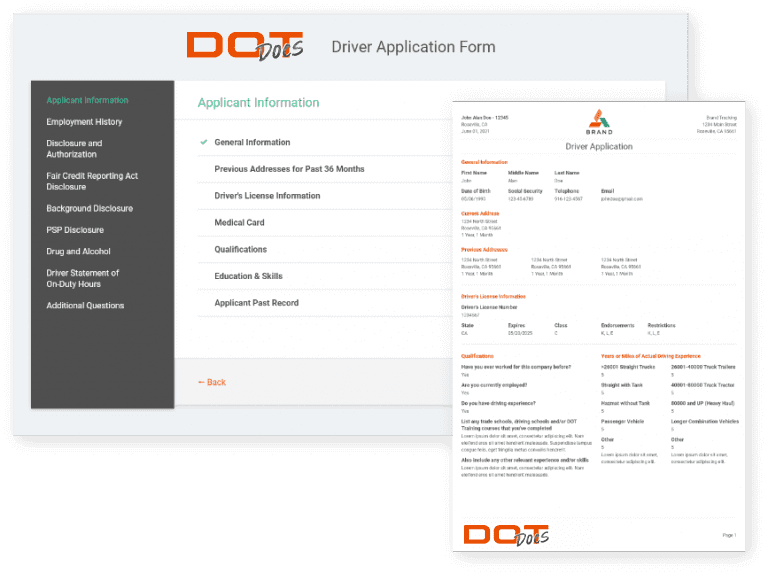
Our driver app is fool-proof. We have chunked it down into bite-sized pieces and made it pretty much impossible to mess up. With the magic of computers, drivers can longer not list the proper amount of time they worked at a job, or miss any of the federally required items.
Not only is our dashboard customizable for every user, It’s interactive. Simply click and see what drivers have expired documents. With another simple click, you can send a message to the driver and their manager to have them update their file.
No obligations, no contracts, cancel at any time.
DOT Docs has really helped our company on many levels. They have become a one stop shop for many of our needs. Compliance, fork lift certifications, CDL testing, special classes and training and more. It really is hard to overstate the value they bring to our business.
– Ryan Malarsie
We hired DOT Docs to help us with our DOT and Safety. They were one of the best investments we could have made for our company. They not only helped us navigate COVID-19, but we also prospered. Our employees love their quarterly training. DOT Docs actually cares about our company! Thanks, DOT Docs
-Don Dukart
“We recently hired DOT Docs to help us get our DOT program back on track. Who knew there was so much to DOT? They stepped in and got us back on track in no time at all. We now use them for so much more than just DOT. Love working with their team.”
-Mike Anderson
No! We give constant updates to our software, add new templates and you get it all for FREE! Because DOT Docs is on the cloud, when we make an update or add new features, they automatically show up in your account!
Yes! Security is our top priority, and we built DOT Docs from the ground up to make sure your information, drivers, & members area are secure. You don’t have to worry about staying up-to-date with “plugins” that can easily be compromised.
There are NO long-term contracts or commitments. You can use DOT Docs month to month, and cancel at any time you’d like!
As with most “software-as-a-service” platforms, when you cancel your account, your data will become inaccessible, but don’t worry, before canceling you have the opportunity to download all of your files or “pause” your account and we’ll keep everything backed up waiting so you can come back again later!
You bet you can!! For drivers, it’s as simple as creating a driver and then uploading their documents into DOT Docs. Then you simply archive the driver. Meaning that you still have access to their file, but they do not have access to your company.
No! We created DOT Docs so you wouldn’t have to have a whole I.T. department to run your company! Just login, start clicking, and you can all of your drivers 100% in compliance from the members area!
Yes! Because DOT Docs is hosted on the largest public cloud cluster in the world. We have virtually unlimited ability to scale in real-time. Whether you have 1 driver or 100,000+ drivers, it won’t slow us down!
Yes! We have a first-class support team who can answer your questions! Simply send our team an email info@DOTDocs.com
Simply login to your account, click on your account settings and click “cancel my account”. No need to call, email, or talk to anyone!
We thought about that too. We created an “Audit” section where you can select the files you want to share with the auditor, then send them an invite directly from DOT Docs. They can only access the files you gave them permission to see.
So You Can Focus on Growing Your Company & Keep More $$ In Your Pocket